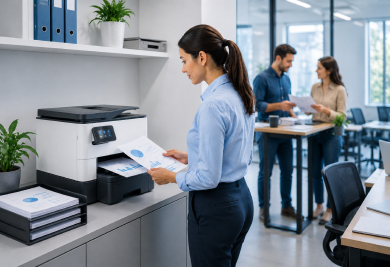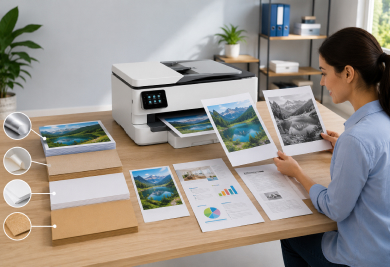

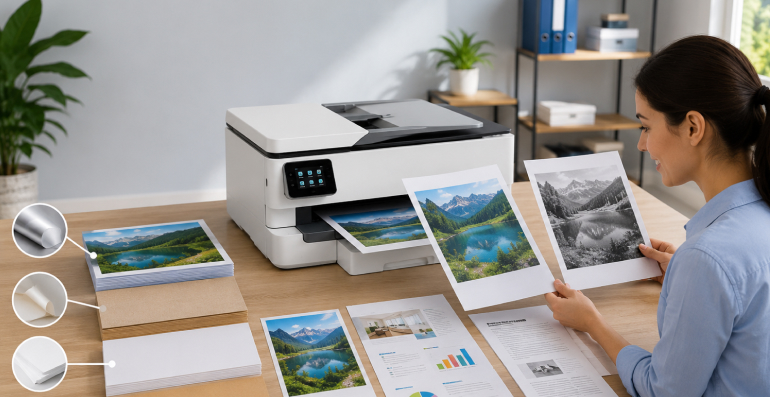
Most people think of paper as a simple material that moves through a printer and receives text or images. However, printers are designed to work with a wide variety of media types, and each type of media behaves differently during the printing process.
Standard office paper, photo paper, envelopes, labels, cardstock, and specialty printing materials all have unique characteristics that influence how a printer handles them. These differences affect everything from paper feeding and alignment to print quality and output consistency.
Understanding why printers treat various media types differently can help users gain a better appreciation of how modern printing systems operate. Rather than viewing media settings as simple preferences, it is useful to understand how these settings help printers adjust their behavior for different materials.
This guide explores how media types affect paper handling and why printers use different processes depending on the material being printed.
In printing, the term "media type" refers to the material being used for printing.
Common examples include:
Although these materials may appear similar at first glance, they differ in weight, thickness, texture, flexibility, and surface coating.
These differences influence how the printer moves the material through its internal paper path.
Before understanding media differences, it helps to understand the basic paper handling process.
Most printers perform several actions:
This process must remain precise to ensure accurate printing.
When media characteristics change, the printer may need to adjust how it handles the material throughout this journey.
One of the most important characteristics of any media type is thickness.
Different materials can vary significantly in thickness.
For example:
Thicker media may require printers to adjust:
These adjustments help maintain consistent movement while reducing stress on the media.
Because thickness affects flexibility, printers often handle thicker materials differently than standard paper.
Paper weight refers to the density of the material.
Heavier media often behave differently during feeding because they:
Media settings help printers anticipate these characteristics and adjust internal processes accordingly.
Although weight and thickness are related, they are not always identical. Two media types may have similar thicknesses while differing in overall density.
The surface of printing media also affects printer behavior.
Some media types have smooth surfaces, while others have textured finishes.
Examples include:
Surface texture can influence:
Because each surface interacts differently with printing technology, printers may use specific handling methods based on the selected media type.
Photo paper is one of the most common examples of specialty media.
Unlike standard paper, photo paper often includes special coatings designed to improve image quality.
These coatings can affect:
Because of these properties, printers may adjust:
The goal is to achieve more accurate image reproduction while protecting the media surface.
Envelopes present unique challenges because they are not perfectly flat sheets.
An envelope may contain:
These characteristics can influence how the printer feeds and positions the media.
As a result, printers often use specialized envelope settings that modify paper handling behavior to accommodate the structure of the envelope.
Labels introduce another set of considerations.
Unlike standard paper, label sheets may contain:
Printers often adjust handling methods to maintain proper movement and positioning throughout the printing process.
Other specialty materials, such as transparencies or presentation papers, may require similar considerations.
When users select a media type in print settings, they are not simply choosing a label.
The printer may use that selection to adjust various internal operations.
Possible adjustments include:
These adjustments help optimize the printing process for the selected material.
This is why choosing the correct media type can play an important role in overall printing performance.
Media behavior can also be influenced by environmental factors.
Conditions such as:
may affect how paper and specialty materials perform.
For example, paper can absorb moisture from the environment, which may influence flexibility and feeding behavior.
Proper storage helps maintain consistent media characteristics and supports more predictable printing results.
Not all printers are designed to handle every type of media.
Printer capabilities depend on factors such as:
Some printers are optimized for everyday office documents, while others are designed to accommodate a broader range of specialty materials.
Understanding a printer's supported media types can help users better understand its intended use.
When printing on various materials, it can be helpful to:
These practices can help support smoother paper handling and more consistent output.
A media type refers to the material used for printing, such as plain paper, photo paper, envelopes, labels, cardstock, or other specialty materials.
The selection helps the printer adjust internal settings and handling methods based on the characteristics of the material being used.
Yes. Photo paper often has different thickness, weight, and surface properties that may require different handling methods.
Generally, yes. Thicker media may require adjustments in feeding, positioning, and movement throughout the printing process.
Yes. Factors such as humidity, temperature, and storage conditions can influence how paper and specialty materials behave.
Printers handle different media types in unique ways because every material has its own characteristics. Thickness, weight, texture, coatings, flexibility, and construction all influence how paper moves through the printer and how printed content is applied.
By understanding the role of media types, users can gain a clearer picture of how printers adapt to different materials and why media settings exist in the first place. Whether printing everyday documents, photographs, envelopes, or specialty materials, recognizing these differences helps explain the important relationship between media selection and overall printing performance.