

When users think about printer performance, one of the first things they often notice is how quickly documents move from the screen to the printed page. While some print jobs appear almost instantly, others may take longer to process and complete. This difference is not determined by a single factor. Instead, printing speed is influenced by a combination of hardware capabilities, document complexity, network conditions, printer settings, and workflow processes.
Understanding what affects printing speed can help users develop realistic expectations and gain a better understanding of how printers manage information. It also provides insight into why two similar print jobs may produce very different results.
This guide explores the various factors that influence printing speed and workflow efficiency, helping readers better understand the journey from a digital document to a finished printed page.
Printing speed refers to how quickly a printer can process and produce printed output.
This includes several stages:
Because multiple steps occur before printing begins, overall speed depends on more than just the printer's mechanical performance.
A document may spend time being processed before the first page is even printed.
One of the most significant factors affecting printing speed is the complexity of the document itself.
Simple documents often contain:
More complex documents may include:
Before printing can begin, the printer and computer must process all of this information.
The more detailed the content, the more work may be required before output is produced.
File size can also affect printing performance.
Larger files often contain more information that must be:
Examples of larger files include:
Smaller files generally require fewer resources and may move through the workflow more quickly.
Most printers provide multiple print quality options.
Common settings include:
These settings influence how much detail the printer produces.
Higher quality settings may involve:
As a result, print quality selections can influence the amount of time required to complete a job.
The relationship between quality and speed often depends on the specific printer technology being used.
Modern printers contain internal processors and memory that help manage printing tasks.
These components assist with:
Just as computers vary in performance, printers also differ in their processing capabilities.
Devices designed for higher-volume environments often include additional resources that support efficient workflow management.
Printer processing power plays an important role in determining how quickly documents move from digital information to printed output.
Memory allows a printer to temporarily store information while processing print jobs.
When a document is received, information may be held in memory before printing begins.
Documents containing:
often require additional memory resources.
Sufficient memory helps printers manage information more efficiently and supports smoother workflow operation.
Many printers operate within wireless or wired network environments.
In these situations, print jobs must travel through a network before reaching the printer.
Several network-related factors may influence communication speed, including:
A stable network environment supports efficient communication between devices and printers.
Network conditions may be particularly important when multiple users share the same printer.
Printers frequently manage more than one document at a time.
When multiple jobs are submitted, the printer typically places them into a print queue.
The queue helps organize:
As the number of queued documents increases, overall completion times may also increase.
This is a normal part of managing shared printing environments.
Many users focus on pages-per-minute ratings when evaluating printer speed.
However, first-page processing time is another important consideration.
Before the first page is printed, the printer may need to:
This preparation period can vary depending on the complexity of the print job.
As a result, the time before the first page appears may differ from the time required to print additional pages.
The type of media being used can also influence printing speed.
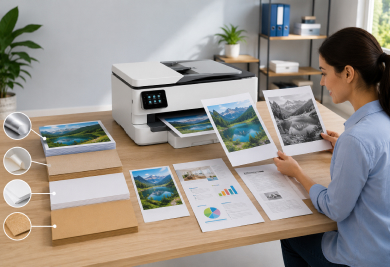
Different media types include:
Printers may adjust internal handling methods depending on the selected media.
These adjustments can affect:
The goal is to ensure that the printer handles each material appropriately.
Environmental conditions can influence overall workflow efficiency.
Factors may include:
Although environmental conditions do not directly determine printing speed, they can influence printer operation and media behavior.
Maintaining a suitable environment supports consistent performance.
Printing speed is only one part of the overall workflow.
Efficient workflows also involve:
In many situations, improvements in workflow organization can have as much impact as improvements in printer performance.
Understanding the complete process helps users better evaluate overall efficiency.
Users can help maintain efficient workflows by:
These practices contribute to smoother operation and more predictable printing experiences.
Document complexity, file size, graphics, print settings, and processing requirements can all influence printing time.
Yes. Larger files generally contain more information that must be processed and transferred before printing begins.
A print queue is a system that organizes and manages multiple print jobs waiting to be processed.
Network conditions such as signal strength and traffic levels can influence communication between devices and printers.
No. Document content, computer processing, network communication, printer memory, and workflow management all contribute to overall printing performance.
Printing speed is influenced by many interconnected factors that extend far beyond the mechanical operation of the printer itself. Document complexity, file size, printer processing capabilities, memory resources, network conditions, media selection, and workflow organization all play important roles in determining how quickly a print job is completed.
By understanding these influences, users can develop a more informed view of printing performance and workflow efficiency. Rather than focusing solely on output speed, it is helpful to recognize that modern printing involves a series of coordinated processes working together to transform digital information into printed documents.