

Many printer users expect their device to remain completely inactive until a print job is sent. However, modern printers are designed to perform a variety of automatic activities even when they are not actively printing documents. These functions help maintain performance, monitor device status, manage resources, and prepare the printer for future tasks.
As a result, users may occasionally notice the printer making sounds, displaying messages, activating internal components, or performing brief operations without direct input. While these activities can sometimes seem unexpected, they are often part of normal printer operation.
Understanding these everyday printer activities can help users become more familiar with how printers function behind the scenes. Instead of viewing every unexpected sound or notification as a sign of a problem, it is useful to recognize that many automatic functions are built into the design of modern printing systems.
This guide explains common automatic printer activities and why they occur.
Printers are sophisticated devices that combine mechanical, electronic, and software components.
To maintain reliable operation, printers continuously monitor and manage various systems, including:
Automatic functions help ensure that these systems remain ready for use.
Many of these activities occur in the background and require little or no user involvement.
One of the most noticeable automatic activities occurs when a printer is powered on.
During startup, the printer may perform several checks, including:
These procedures help the printer confirm that key systems are functioning properly before normal operation begins.
Depending on the printer model, startup routines may take a few seconds or longer.
Even when idle, printers often continue monitoring their internal condition.
These automated checks may evaluate:
Self-checks help the printer identify important information and maintain awareness of its operational state.
Because these activities occur automatically, users may occasionally notice brief device activity without having initiated a print job.
Many printers perform maintenance routines designed to support consistent output quality.
These activities may occur:
Maintenance functions vary by printer technology and model, but generally help maintain printing performance over time.
Users may notice sounds, brief movements, or status messages while these routines are taking place.
Modern printers often include power-saving features.
When the printer is not actively being used, it may enter a low-power state commonly known as sleep mode.
Sleep mode helps:
While in sleep mode, many printers remain capable of responding to incoming print jobs or user interaction.
The printer may automatically wake when activity is detected.
Users are sometimes surprised when a printer appears to activate on its own. In many cases, this behavior is related to communication activity.
A printer may wake automatically when:
These events are often part of normal operation and do not necessarily indicate a problem.
Wireless and network-connected printers regularly communicate with other devices.
This communication may involve:
Because network activity can occur throughout the day, printers may occasionally display indicators or briefly activate communication systems even when printing is not taking place.
Many printers continuously track operational information.
This may include:
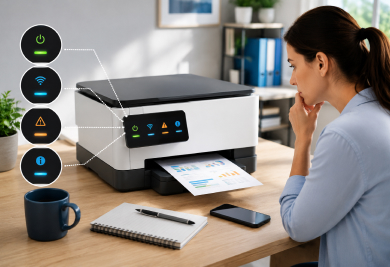
The information collected is often displayed through:
These updates help users stay informed about the printer's current condition.
Printers often monitor printing supplies automatically.
Depending on the printer type, this may involve tracking:
Supply monitoring helps the printer maintain awareness of available resources and communicate relevant information to users when appropriate. These checks usually occur in the background without disrupting normal operation.
Modern printers rely on numerous sensors to gather information about their operating environment.
Sensors may monitor:
Automatic sensor activity helps the printer make decisions about how to manage ongoing operations. Because sensors work continuously, some level of background monitoring is normal.
Many users notice occasional sounds coming from their printer even when no document is being printed.
These sounds may be associated with:
Printers often contain moving parts that operate during various automatic activities. Brief sounds do not necessarily indicate a malfunction and are often related to routine device functions.
Printers also rely on software to manage many internal operations.
Software-controlled activities may include:
These activities help coordinate the printer's various systems and support reliable operation. Users may occasionally notice status messages or brief activity while software processes are running.
Some printers continuously maintain a state of readiness. This allows the printer to respond quickly when a user sends a print job.
Readiness activities may involve:
These background functions help reduce delays when printing begins.
When observing printer behavior, it can be helpful to:
Developing familiarity with everyday printer behavior can make device operation easier to understand.
Printers may perform maintenance routines, system checks, or communication activities that involve internal movement and sound.
Sleep mode is a power-saving state that reduces energy usage while allowing the printer to remain available for future tasks.
Network communication, incoming print jobs, maintenance routines, or system monitoring activities may trigger automatic wake-up events.
Many modern printers include automated maintenance functions designed to support consistent operation and output quality.
No. Many messages simply provide information about normal printer activities, settings, or operational conditions.
Modern printers perform a wide range of automatic functions that help maintain readiness, monitor performance, manage resources, and support consistent operation. Startup procedures, maintenance routines, supply monitoring, network communication, and power management activities are all common aspects of everyday printer behavior.
By understanding these automatic functions, users can gain a clearer picture of how printers operate behind the scenes. Rather than viewing unexpected sounds, lights, or messages as unusual events, they can often be recognized as normal activities that help keep the printer prepared for everyday printing tasks.